Over a dozen new and improved features highlight the Viz Arc 2.0 release. New features include a Precision Keyer Control Web Interface and a new Viz Arc Unreal Loader that adds command buffering. Users can also look forward to a significant boost in performance and quality to Object Tracker, and enhancements to Viz Arc’s Stream Deck integration adds shortcuts and customizable button background colors.
Read on to learn more.
New Precision Keyer Control ‘Web’ Interface
With the new Precision Keyer Control Web Interface users are no longer tied to the physical location of the Viz Engine. Instead, use any web browser to access the Viz Engine Precision Keyer from any desktop location, including a tablet, on your network.
Did you know? While the Precision Keyer acts as an internal keyer for Green and Blue Screens, it can also support external keyers – such as Ultimatte, Crystal Vision, and For-A. Also, if your production includes both Viz Engine and Unreal Engine, then the Precision Keyer can control the keying and composition of the Unreal Engine Keyer, too. Whether your production relies on an internal keyer or an external keyer, Vizrt has you covered.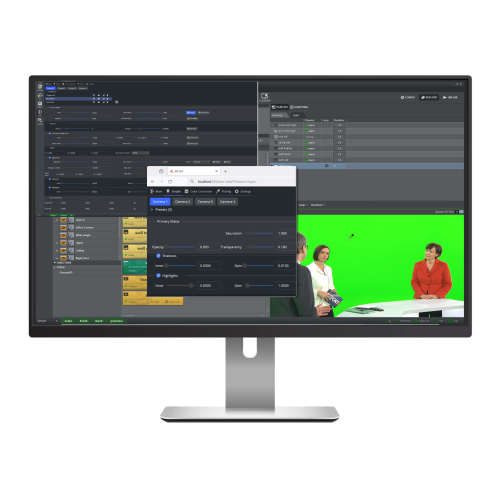
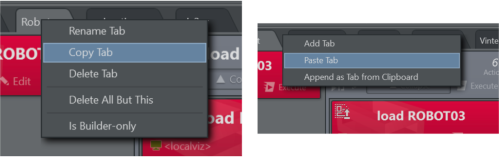
Import/Export Tabs (Copy/Paste)
Single action tabs can be copied and pasted – or replicated – within projects or across to other projects. Single actions that have been copied to the clipboard can also be pasted into a new tab, saving users time and accelerating workflows.
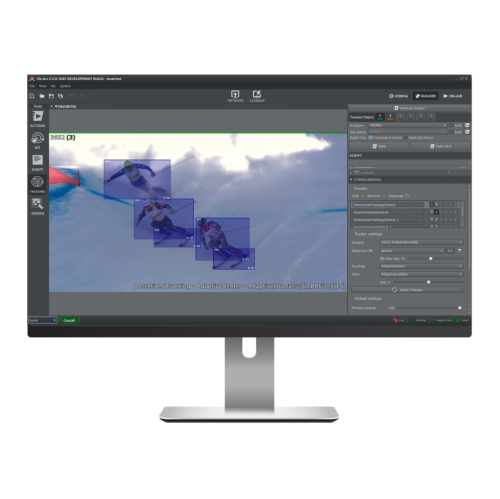
Object Tracker Improvements
the Simple Tracker.
Elgato Stream Deck Plugin Enhancements
Viz Arc 2.0 includes enhancements to Viz Arc’s Stream Deck integration which adds an action to trigger Viz Arc shortcuts, and users can easily customize button background colors.

For more information and to schedule a demo, please visit the Viz Arc webpage.