
“Quick Connect” to TriCaster
Viz Mosart and TriCaster already make a great team but it just got even better. Thanks to the new “Connect to TriCaster” feature, you can easily discover and connect to a TriCaster on your network; Viz Mosart then automatically populates its configuration with parameters fetched from the TriCaster.

Support for Panasonic’s KAIROS video switcher
This release further expands Viz Mosart’s enterprise hardware integration, with native support for the popular KAIROS video switcher from Panasonic.
“Many customers choose Viz Mosart to really maximize the value of their studio investment, unlocking more creative power under each rundown item or button press” says Andy Newton, Senior Product Manager for Viz Mosart. “The flexibility of Panasonic KAIROS drives our workflows even further towards this aim, and with its integration Viz Mosart is consolidating its position at the cutting edge of software-defined studio production.”
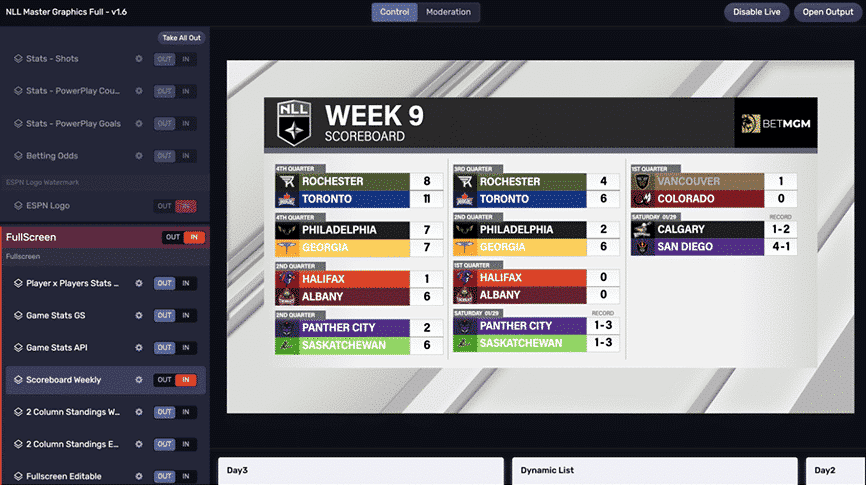
Viz Flowics full screen graphics
Our integration with Viz Flowics continues to deepen, reflecting our customers’ expanding use cases for highly integrated SaaS HTML graphics. In Viz Mosart 5.10 we build on the existing support for overlay graphics, now adding the ability to control Viz Flowics for full-frame graphics playout from a primary template.
API extensions
The northbound Remote Control REST API was introduced in Viz Mosart 5.4 and made it possible to remotely control Viz Mosart from external systems and devices; for example taking templates and making simple rundown control. With Viz Mosart Web Apps 2.0 we added redundancy to that API, so that connections can follow the active server in a main/ backup scenario.
This release 5.10 adds support for executing Viz Mosart control commands, unlocking many more use cases. Also included is the ability to perform Skip or Unskip in the active rundown and even load a new rundown. Check out the Remote Control REST API documentation for further details on this.
Also extended in Viz Mosart 5.10 is the Generic REST API. A previous restriction to only allow one device to be in use has now been removed – so it is possible to add as many devices as needed, all enabled simultaneously. In addition we’ve added OAuth2 as a authentication option; one example use-case is the ability to interface with the Mark Roberts Motion Control (MRMC) Multi-Head Controller (MHC).
Other improvements
There are plenty of other great changes in Viz Mosart 5.10, which are explained in full detail in the release notes. Here are some highlights.
- The choice of physical control panels continues to extend; in Viz Mosart 5.9 we added audio fader control through the Skaarhoj Wave Board. In Viz Mosart 5.10 this interface has been further refined and improved.
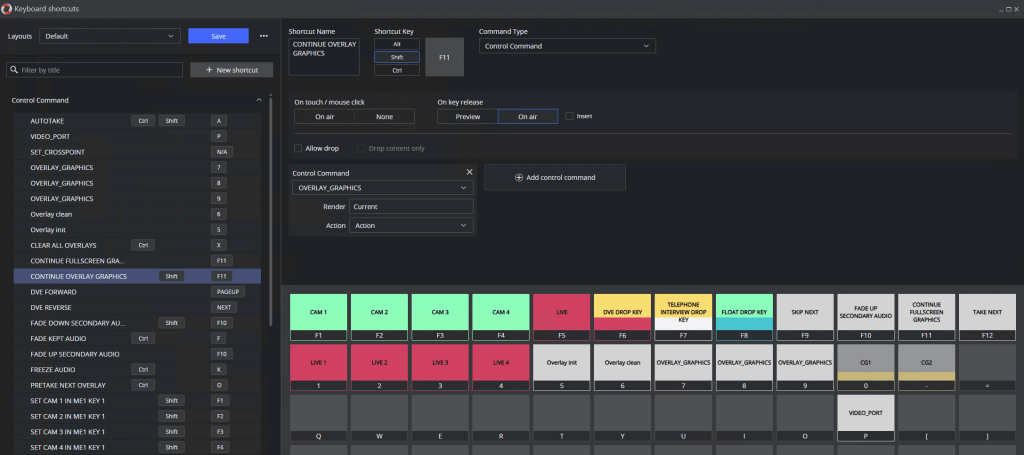
- Several improvements and fixes have been made to the new keyboard shortcuts editor that was introduced in Viz Mosart 5.9. This new editor offers huge performance gain over the old one (which is currently still available in parallel), is easier to use, and is more flexible to allow for further planned enhancements.
- Another configuration UI that has been improved is AV Setup. This has been replaced in 5.10 with a much faster and easier to use interface.
- Overlay Graphics Interface has been extended with settings for Vizrt graphics that enhances our native support for Superchannels, when Viz Multiplay is also in use.
Download to Upgrade Now
Active customers can download the installation files and release notes for Viz Mosart and related web apps from the Vizrt FTP site: /products/VizMosart/Latest Versions/VizMosart-5.10.