
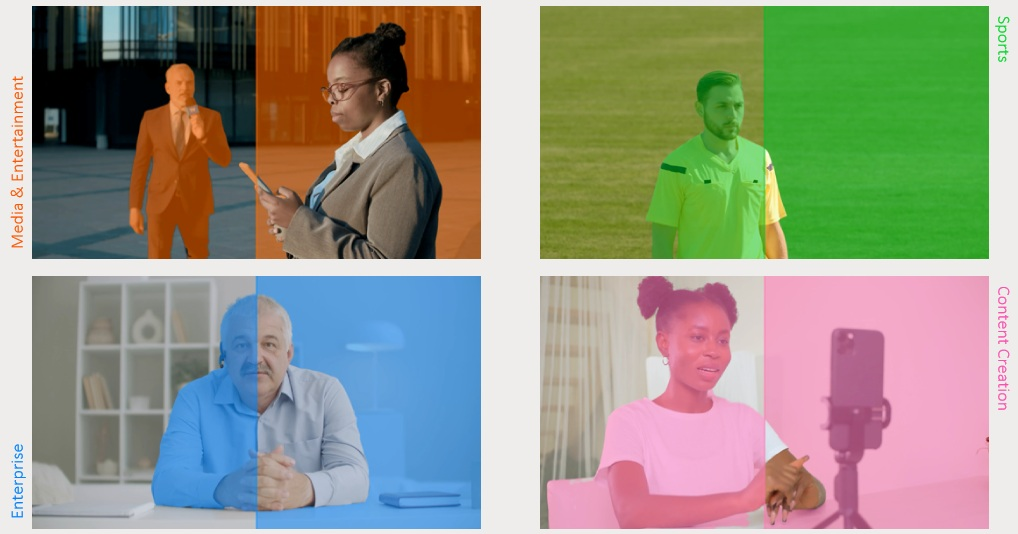
For years, the green screen defined what a studio could do. It dictated the lighting, the floor space, and the hours of setup before a single shot was ready. The Vizrt AI Keyer™ changes that starting point. It powers Viz AI Studio, a production workflow that turns offices, venues, lobbies, stadium sidelines, newsroom corners, and temporary spaces into a virtual stage — with no green screen required.
This guide is a starting point for teams across media and entertainment, sports, and enterprise. It explains how the technology works and walks through where it delivers the most value today, sector by sector, so you can see where it fits your own workflows.
Key Use Cases at a Glance
- Creative previsualization — validate framing, scale, and backgrounds before committing budget
- In-studio broadcasts — branded virtual sets without building or maintaining a physical set.
- Corporate and government townhalls — turn meeting rooms into a branded, AR-ready stage.
- Virtual events and executive presentations — real-time 3D graphics in place of flat slides for your executive presentations and key.
- Teleporting remote guests — bring contributors into your presentation space, life-size, with Vizrt AI Keyer™
- Field reporting — Studio-quality polish virtually anywhere. Add immersive backgrounds, real-time video, and data-rich graphics locked behind the presenter; no green screen required.
- Sports interviews and sponsor activations — AR-enhanced segments with sponsor boards from the sideline or concourse.
Watch the Vizrt AI Keyer™ in action
Vizrt AI Keyer™ Demo for Enterprise Customers [NAB 2026]
Vizrt AI Keyer™ Demo for Sports Broadcasters [NAB 2026]
Breaking news, anywhere. Vizrt AI Keyer™ keys out reporters on location, even in a crowd, for real-time AR graphics without a green screen.
Pitch side interviews just got smarter. Vizrt AI Keyer™ inserts sponsor boards and stats behind athletes instantly, no green screen required.
Vizrt AI Keyer™ lets weather presenters go outdoors with live AR graphics keyed seamlessly behind them, no green screen needed.
Weather, news, sports: Vizrt AI Keyer™ keys out talent on location and inserts seamless AR graphics behind them, no green screen required.
What the Vizrt AI Keyer™ Does
Viz AI Studio uses the Vizrt AI Keyer™ to detect human shapes in the camera frame and separate talent from the background in real time. Rather than relying on a green screen or chroma key, the keyer has been trained to recognize a person across everyday activities — walking, presenting, playing sport — and across different environments and lighting conditions. It even accounts for attached objects, such as a pen in a presenter’s hand. Once it isolates the talent as the foreground, you can replace the background, add AR graphics, and place visual elements in front of or behind the presenter. With Vizrt’s Reality Connect and talent tracking, the subject can be given shadows, depth, and reflections for a more natural look in the virtual environment. Reality Connect also makes it possible to track the presenter and let them interact with virtual elements.
Key Factors in Evaluating AI Keying
Two points matter for teams weighing it up. First, the AI is proprietary to Vizrt, and talent data is never captured or used to train the keyer — which matters for sensitive or confidential productions. Second, the technology is honest about its scope: it detects people, not animals or objects, and performs best in less crowded scenes. For fully controlled, repeatable studio work, a traditional green screen still has its place. What the Vizrt AI Keyer™ changes is where, and how quickly, you can produce a studio-quality composite.
What You Need to Get Started
The essentials are straightforward:
- A standard camera or video signal — no green screen, and no specialist gear or crew.
- A Vizrt AI Keyer license, used on its own or combined with Viz Virtual Studio and Reality Connect for more advanced virtual studio production.
- Viz Engine, running on hardware with at least an Nvidia ADA 5000 card.
Setup only takes a few minutes: set the video input, turn on the keyer, and start building the scene. Keep in mind that the result is only as strong as the weakest link, poor camera quality or poor lighting will lead to a worse outcome.
The Agentic AI Dilemma
Production teams have invested in AI tools, yet many still struggle to orchestrate complex workflows without losing editorial control.
Download the latest IDC MarketScape excerpt to learn why composable agentic platforms are reshaping how broadcasters approach automation, and why Vizrt has been named a Leader.
Use Cases for Media and Entertainment
Creative previsualization and shot planning
Teams often use a green screen not for final pixel, but to picture a composition early. The Vizrt AI Keyer™ brings that forward in the creative process. Talent stands in a simple studio or office space, and the keyer instantly separates them from the background, so the team can drop them into rough virtual environments, placeholder graphics, or concept visuals in real time. Directors can experiment with camera framing, presenter scale, eye-line, and movement while designers test background ideas, data visualizations, and spatial layouts. Because no lit green screen is needed, these sessions can happen anywhere. Stakeholders see what the final shot could look like, identify problems early, and refine the visual language before investing in studio builds, video walls, or LED stages — so by final-pixel production, many creative and technical decisions are already validated.
Studio-quality output from any location
With Vizrt AI Keyer™, teams can go live from a real location and keep the look of a virtual studio environment. On-location news, in-studio broadcasts, executive updates, and product launches can all carry branded backgrounds and AR visuals, without transporting a full virtual production setup and green screen. It is best suited to teams that need studio-style output from changing locations.
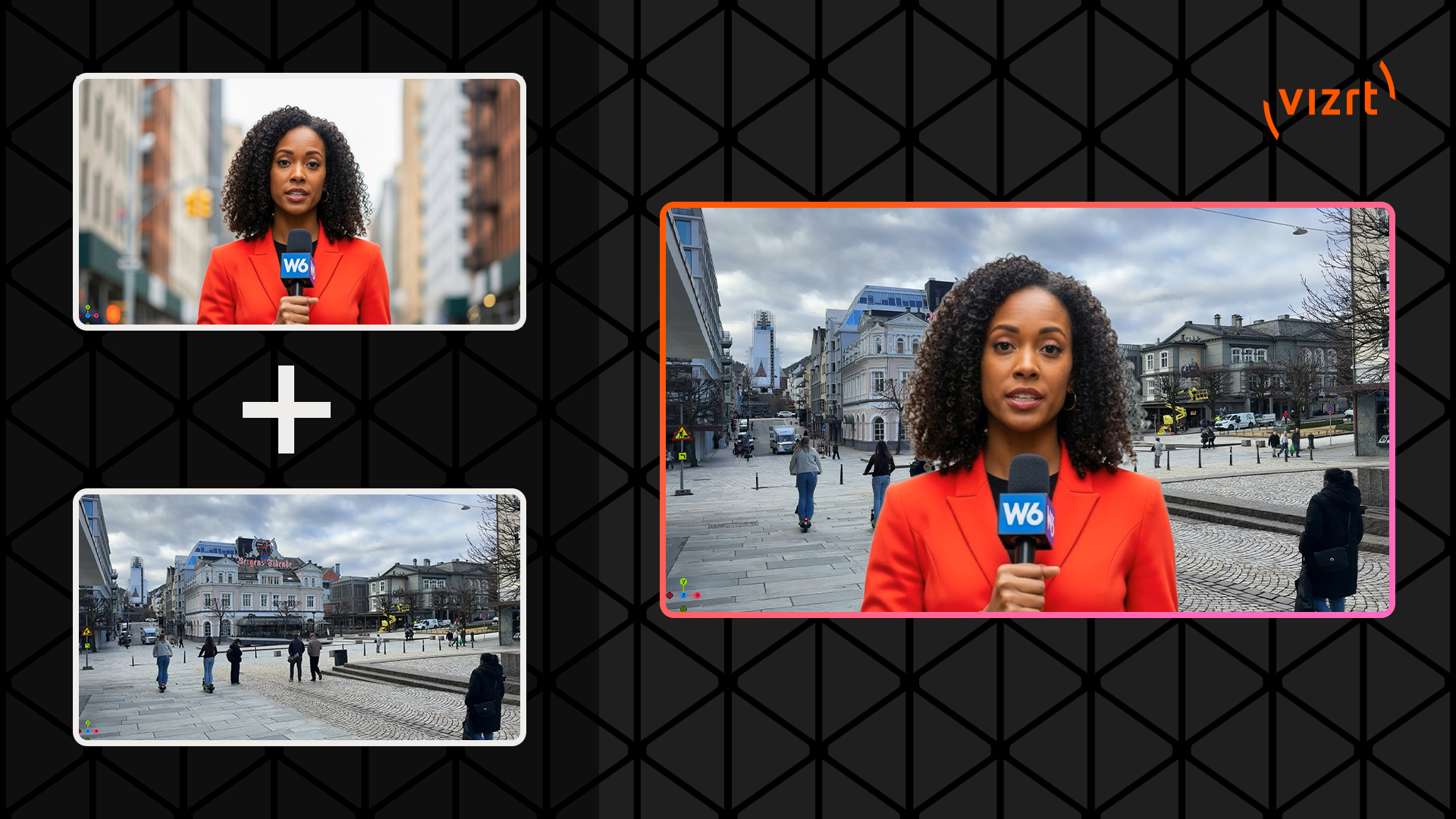
Teleport your news presenter into any location, live, for a studio-quality look from anywhere
A flexible alternative to the video wall
A physical video wall carries high capital cost, structural work, specialist installation, and ongoing maintenance — and it needs a suitable room to house it permanently. The Vizrt AI Keyer™ shifts that investment into software and compute, removing the need for panels, mounts, processors, cooling, and calibration. The background becomes entirely software-defined: scale, aspect ratios, and branding change instantly, and a single space can support multiple shows. This is not a replacement for every large LED or extended-reality stage. But for many productions, the flexibility and lower cost outweigh the appeal of fixed hardware.
Use Cases for Enterprise
Townhalls, virtual events, and executive presentations
For corporate and government communications, Viz AI Studio turns ordinary rooms into a branded stage for townhalls, virtual events, and keynotes. It replaces flat slide decks with real-time, interactive 3D graphics and isolates the presenter cleanly, so the result looks produced rather than improvised. Instead of cutting to a slide and risk disengaging the audience, keep the audience engaged and watching you the whole time.
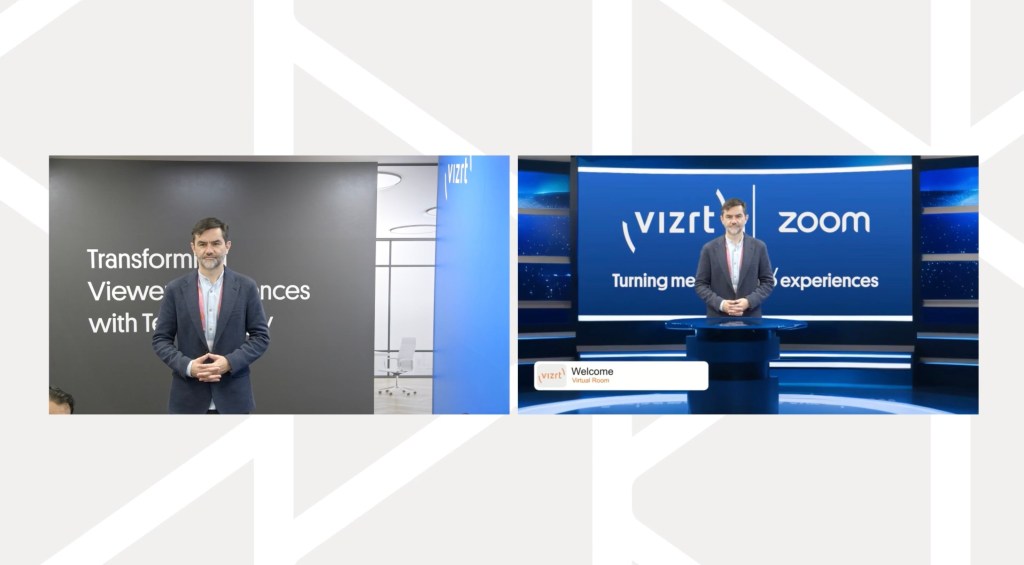
Transform an ordinary meeting room into an engaging, branded experience
Teleporting remote guests into the room
Teleporting a guest into a virtual space is not new — the capability has existed since 2008. What the Vizrt AI Keyer™ changes is the setup. A remote contributor can now be brought into the scene without a green screen, appearing life-size alongside the presenter rather than confined to a tile on the wall, and can join from almost anywhere with a good camera and even lighting.
The value here is not the visual effect. It is presence. When a remote participant feels like they are in the room, conversations feel more natural, attention holds, and engagement improves — without the travel, the time, and the logistics of bringing everyone to one location. For teams who run their webinars and meetings on Zoom, Vizrt CaptivAIte offers another way to achieve this, bringing the same capabilities directly into the Zoom Room.
Use Cases for Sports
Sideline studios, interviews, and sponsor moments
Sports broadcasters can stand up a studio-style set wherever the action is. Sideline interviews, post-match reaction, and sponsor moments can all carry AR element and branded backgrounds from a stadium concourse or a corner of the venue, with no built set required. The same software-defined approach keeps the look consistent across venues and adapts per competition or sponsor.
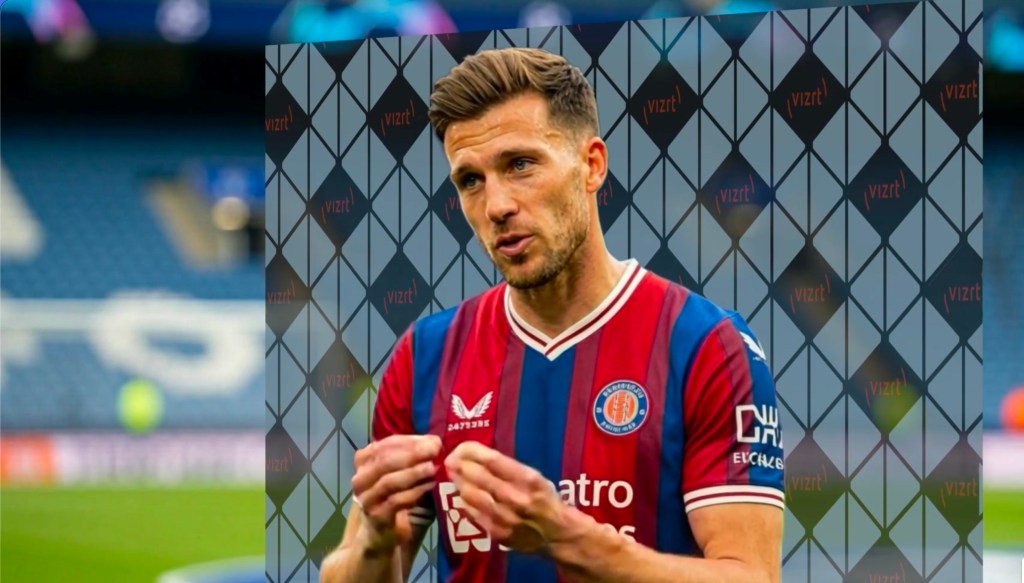
In post-match interviews, the Vizrt AI Keyer™ eliminates need for physical board at the venue or on the field
A Practical Starting Point
The through-line across every sector is simple. Removing the green screen is not the point in itself; what matters is what it removes from your workflow — the cost, the setup time, specialist gear and crew, and the need for a dedicated space. That makes a studio-quality, virtual-production look accessible to smaller teams and to spaces that could never support it before.
Whichever sector you work in, the best next step is to test Vizrt AI Keyer™ against one real production challenge — a previsualization session, an on-location broadcast, a hybrid townhall, or a sideline interview — and see what it changes.
Your AI Studio starts here
Every use case here starts with the space you already have. Viz AI Studio, powered by the Vizrt AI Keyer™, brings talent isolation, background replacement, and AR graphics to your productions — no green screen required.
See it work.